
LabVault
Track bloodwork over time. Every lab result you've ever had, in one place on your iPhone, charted against the lab's own reference ranges.
Download on the App Store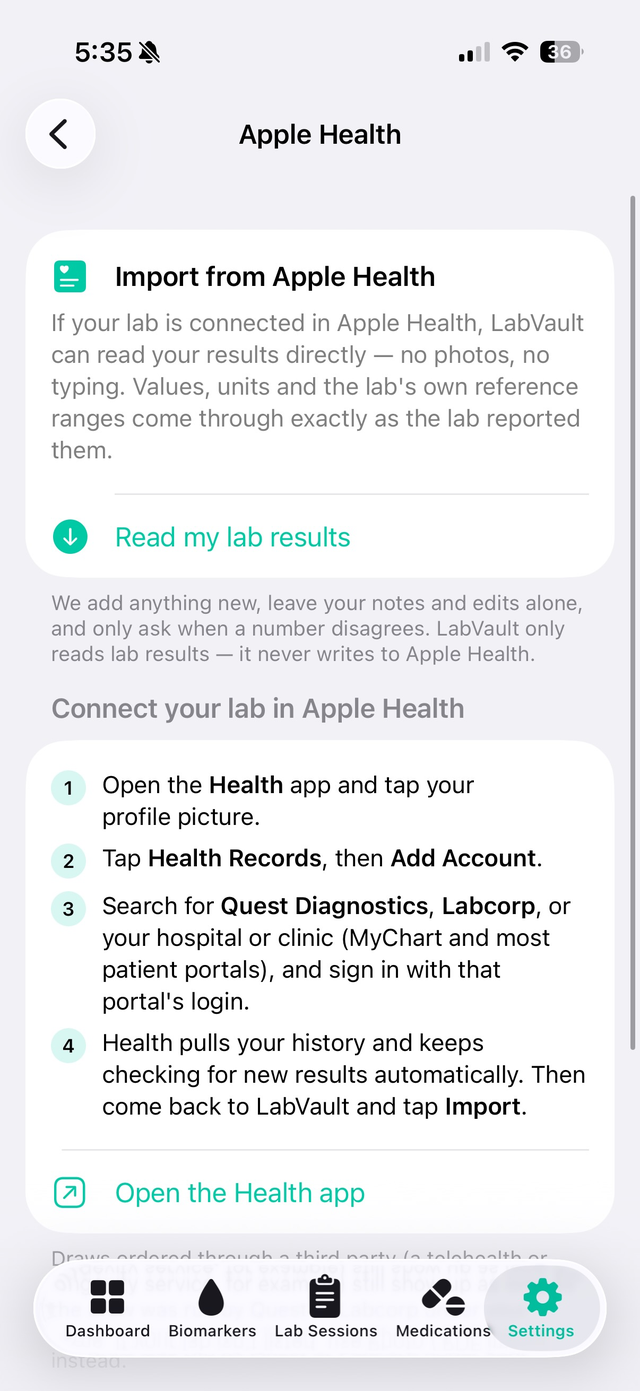
Imports from Apple Health
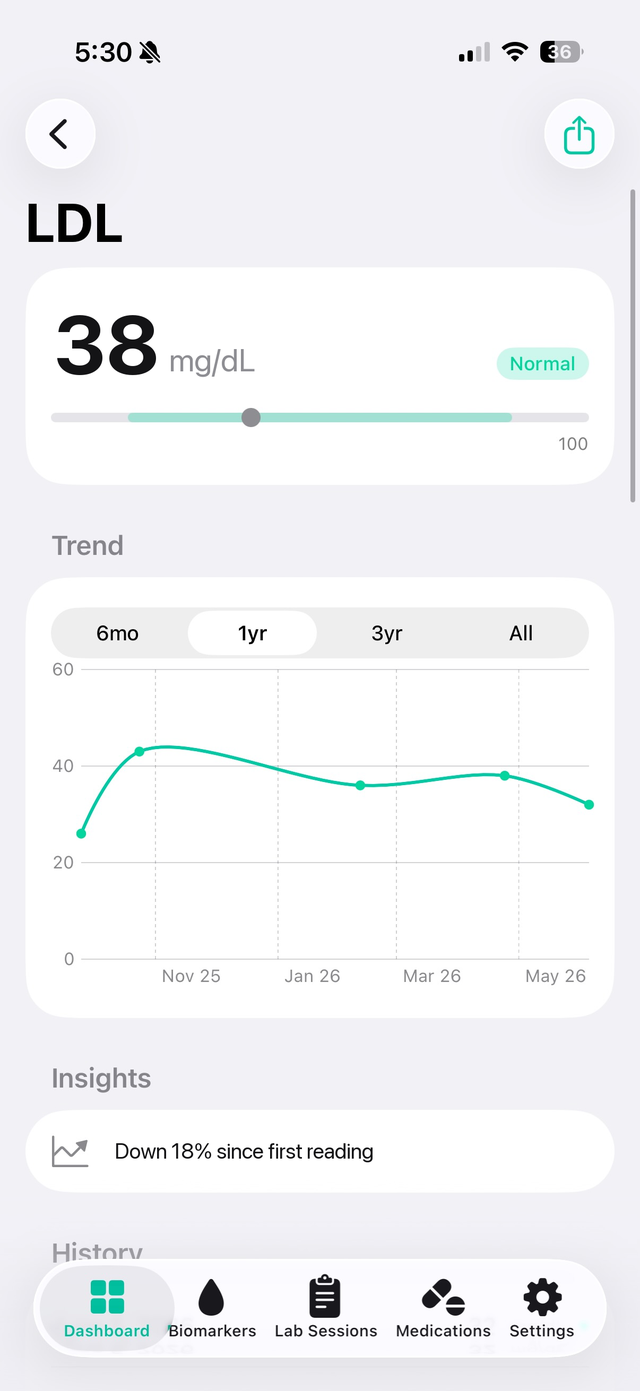
Every result, charted over time
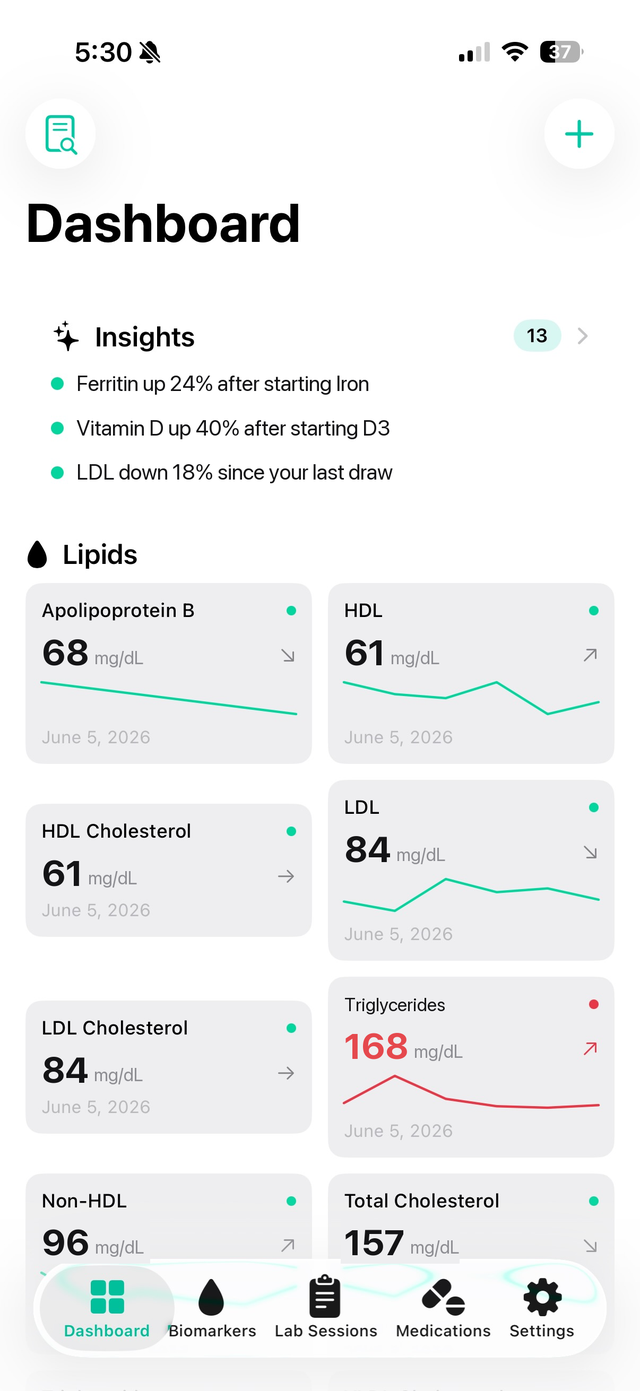
What changed, what's drifting
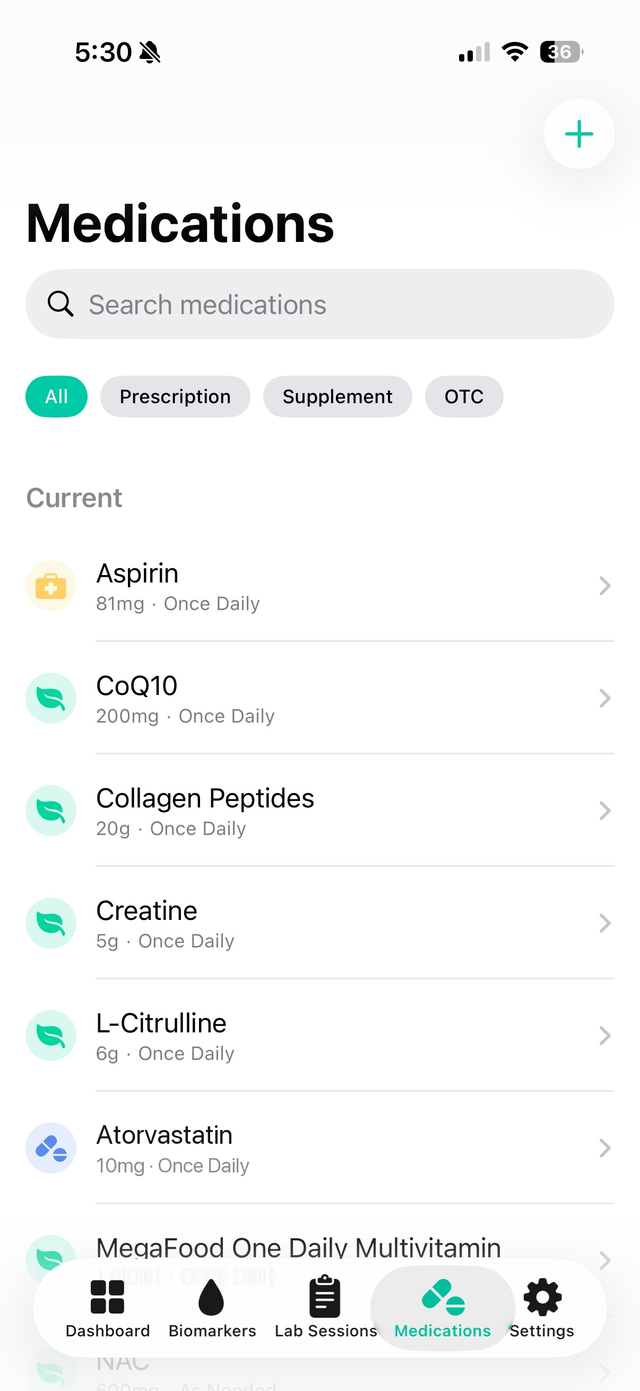
Meds on the same timeline
LabVault is a personal, longitudinal lab database. It is not another app that tells you what your bloodwork means. It keeps the record: every value, every unit, every reference range, exactly as your lab reported it, and shows you how each number has moved from draw to draw. What the numbers mean is a conversation for you and your clinician; LabVault makes sure you walk in with the full history.
How results get in
- Through Apple Health. If Quest Diagnostics, Labcorp, or your hospital or clinic (MyChart and most patient portals) is connected under Health Records in the Health app, LabVault reads every result directly. Values, units and the lab's reference ranges arrive exactly as reported. Your whole history imports in one tap. When Health receives a new draw, the Dashboard tells you. Re-import any time: LabVault adds what's new, leaves your notes and edits alone, and only asks when a number disagrees. Every import can be undone.
- From a PDF or a photo. For labs that aren't in Health, import the report PDF or take a picture of it. On-device text recognition reads the values and you confirm what it found. Nothing is sent to a server.
- By hand. Type in a result from anywhere, with its unit and range.
Draws ordered through a telehealth or longevity service also come through Apple Health when the draw was run by Quest or Labcorp under your name. Apple Health Records is available in the United States, the United Kingdom and Canada.
What it does
Every biomarker, charted
Interactive trend charts with the reference range as a shaded band, a full reading history, and a link back to the draw each value came from.
Organized dashboard
Lipids, metabolic, hormones, thyroid, blood count, vitamins and minerals, inflammation, cardiac, liver and more. Color-coded status, sparklines, and pinned markers at the top.
Insights, without interpretation
What changed since your last draw, markers drifting toward a limit, results that haven't been rechecked, and what moved after a medication start, dose change or stop. Facts about your numbers, not diagnoses.
Compare two draws
Put any two lab sessions side by side and see exactly what moved.
Medications on the same timeline
Log prescriptions, supplements and over-the-counter medications with flexible reminders. Because doses sit on the same timeline as your labs, you can see what a change did.
Bring your own AI
Copy for AI exports your latest draw, medication timeline and every computed change as plain text. Paste it into the AI you already use to prepare questions for your next appointment.
Clean PDF reports
Export a single biomarker, a whole lab session, or a custom selection. Hand it to your doctor or keep it for your records.
Private by construction
No account. No server. No analytics, tracking or ads. Read-only access to Health. Optional Face ID lock. Optional iCloud sync between your own devices, only if you turn it on.
What you can track
Cholesterol and lipids (LDL, HDL, triglycerides, ApoB), glucose and A1c, hormones including testosterone and estradiol, thyroid (TSH, free T4, free T3), complete blood counts, vitamins and minerals, inflammatory markers (hs-CRP, homocysteine), cardiac markers, liver enzymes, omega-3, and anything else your lab reports.
Questions
Does LabVault work with Quest Diagnostics and Labcorp results?
Yes. Connect Quest Diagnostics, Labcorp, or your hospital or clinic (MyChart and most patient portals) under Health Records in the Apple Health app. LabVault then reads every result directly, including values, units and the lab's own reference ranges. For labs that are not in Health, import the PDF or take a photo of the report.
How do I connect my lab in Apple Health?
Open the Health app, tap your profile picture, then Health Records, then Add Account. Search for Quest Diagnostics, Labcorp, or your hospital, and sign in with that portal's login. Back in LabVault, tap Connect Apple Health on the Dashboard.
Is my lab data uploaded anywhere?
No. LabVault has no account and no server. Results stay on your iPhone. Text recognition for PDFs and photos runs on the device. If you turn on iCloud Sync, your data syncs between your own Apple devices through your personal iCloud, which we never see. LabVault only reads from Apple Health; it never writes to it.
Does LabVault interpret my results or give medical advice?
No. LabVault is a record of your numbers. It shows where each value sits against the reference range your lab reported, how it has moved over time, and what changed since your last draw. It does not diagnose or recommend treatment.
How much does it cost?
LabVault is free. No in-app purchases, no subscription, no ads.
Which devices does it run on?
iPhone running iOS 26 or later.
Can I use it with ChatGPT, Claude or another AI?
Yes. Copy for AI exports your history as plain text for whichever AI you already use. LabVault itself sends nothing anywhere.
Support
Something not importing, or a result that looks wrong? Email manny@legitledger.io with the lab and, if you can, the report with your name removed.
LabVault is for personal informational purposes only. It is not a medical device and does not diagnose, treat, cure or prevent any condition. Status indicators and insights are based on the reference ranges your lab reported and are not medical advice. Reference ranges vary between laboratories, and LabVault does not verify the accuracy of imported or entered data. Always consult a qualified healthcare professional about your results. Quest Diagnostics, Labcorp, MyChart and Apple Health are trademarks of their respective owners; LabVault is not affiliated with or endorsed by them.